Your AI hacking platform just got a serious upgrade. The latest Hacker Sidekick update brings features that make the editor faster, smarter, and more connected to the tools you already use on engagements.
Getting the Most out of Hacker Sidekick (0.3) — model routing, workspace indexing, auto top-up, and threat intel MCP. Open on YouTube.
Here is what is new in this release (also covered in the video above).
The Right Model for the Right Job
Not every task needs the same AI. Writing a Python script is different from analyzing a malware sample, and now Hacker Sidekick knows the difference.
This update introduces automatic model routing. When you ask a general question or need help with code, the editor picks a fast, capable general-purpose model. When the task is offensive security work—exploit development, vulnerability analysis, payload crafting—it routes to a model fine-tuned for that domain.
You do not have to think about it. You just work and the right model shows up.
Workspace indexing
Ever opened a project and wished the AI could just understand all of it? Now it can.
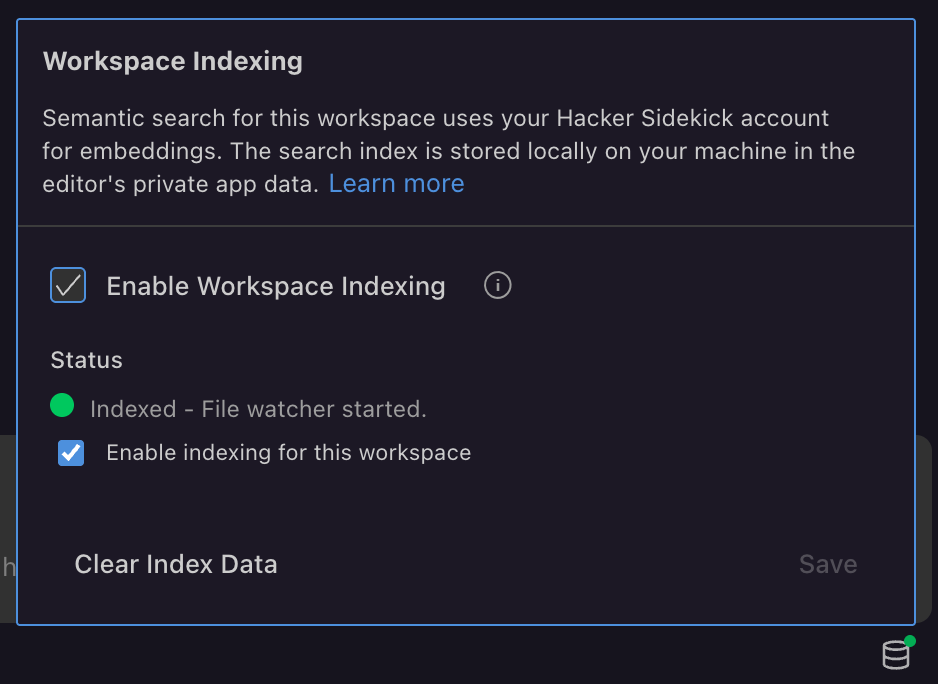
Workspace indexing scans your open project and builds a semantic search index using our custom hsk-emb embeddings. That means when you ask a question, the AI pulls the right workspace context—the most relevant files and functions—automatically. No more copy-pasting into the chat window.
The vectors stay local on your machine. Your code never leaves your workspace.
Never Hit a Wall Mid-Engagement
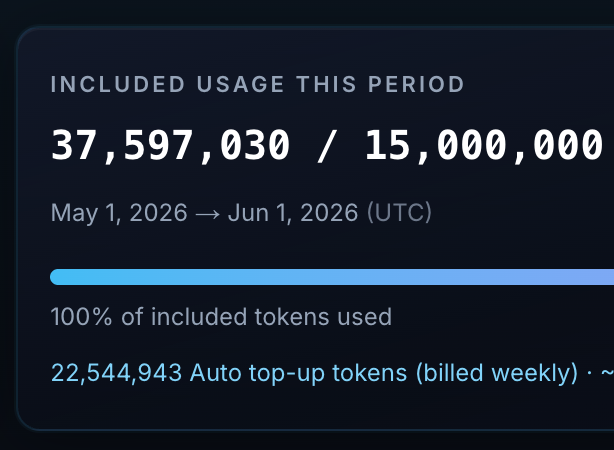
Running out of tokens during a live engagement is the worst possible timing. Auto top-up billing makes sure that never happens.
Your subscription includes a generous token allowance. If you blow through it (and some of you absolutely will), Hacker Sidekick can automatically add more at a simple metered rate. You stay in control: set a spending cap, get warnings before you hit it, or turn the feature off entirely. But if you are deep in a pentest and the AI is on a roll, you will not get cut off.
Threat Intel Tools, Built In
This is the one that changes your workflow.
Hacker Sidekick now ships with a public threat intelligence MCP bundle: dozens of tools covering Shodan, VirusTotal, MITRE ATT&CK, NVD, AlienVault OTX, AbuseIPDB, and more. They are built directly into the editor.
That means you can ask the AI to look up a CVE, check if an IP is on a blocklist, pull Shodan results for a target, or cross-reference indicators against MITRE techniques, all without leaving the editor or juggling browser tabs.
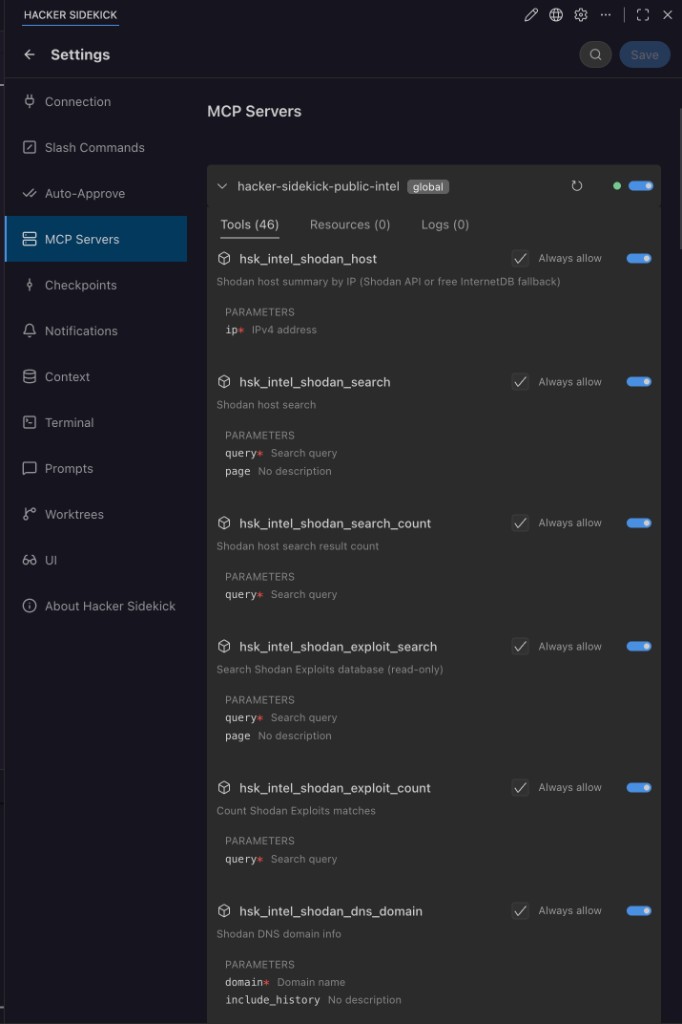
hacker-sidekick-public-intel MCP server ships with the editor—46 tools for Shodan, VirusTotal, MITRE ATT&CK, NVD, and more, ready to allow per tool.Get the Update
This update is available now. If you already have Hacker Sidekick installed, the update will be available in your app. If you have not tried it yet, head to hackersidekick.com and download it.
Watch the walkthrough again: Getting the Most out of Hacker Sidekick (0.3) on YouTube. Product docs: docs.hackersidekick.com/videos.
Ready to try it? Download Hacker Sidekick for Windows, macOS, or Linux.
We are building the security tool we always wanted. This release gets us a lot closer.
- The Hacker Sidekick Team